
New website for Relicts movie
I’ve just released a major rework for my movie “Relicts” webpage, so, check it out! It has a glimpse of the final shots and our production process:
In: Misc · Tagged with: 3dart, animation, darkart, filmmaking, horror, horrormovies, indiefilm, movie, relicts_movie, shortfilm, vfxbreakdown
Convert Instancer to Geometry #2
Type: Maya Python Script (py)
Name: ark_instToGeo
Version: 2.0
Released: 2016.12.17
Download (Save as...)
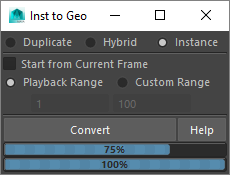
Updated my old utility that converts instancer into geometry – it’s much faster and stable now, works with all rotation types (rotation and aim), has progress bars and prints final statistics into script editor.
In: FX · Tagged with: ark_instToGeo, instancer, maya, particles, python, sag_instancerToGeometry, script, tool, utility
Kick Maya ASS – tool for rendering with Arnold Kick
Type: python script (py)
Name: ark_mtoa
Version: 1.01
Released: 2016.07.08
Download
v1.01
- initial release, all functions added, Windows OS only
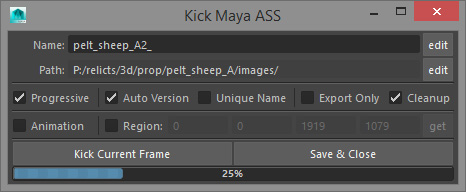
Tool for exporting .ass out of Maya and rendering it with ‘kick’ (Arnold standalone). Provides additional options to:
- choose custom output dir and/or image name
- increment image version automatically
- add unique suffix (to avoid overwriting)
- render current frame or range from Render Settings
- use custom render region or take it from Maya Render View
- save tool settings with the scene
- running without GUI (shelf button, hotkey, or another script)
- just export .ass with .bat for rendering outside of Maya
Relicts
For quite some time this blog laid dormant. Not that I have nothing new to describe or to share, or I’m lazy (although… well, nevermind :))… Actually, I’ve joined animated feature project about a year ago and it’s vast amount of tasks and challenges produced a lot of new thoughts, ideas and techniques… But the real reason is – even a year before that I’ve started my own 3d animated short movie and was thinking to make a website for it, so that the next post here would be an invitation. Due to some unexpected (at that time ;)) things and difficulties related to that endeavour, it took somewhat longer than I expected 😉 and this ‘next post’ thing remained unresolved… Until now.
So, I want to offer you to visit Relicts website. Not a lot of info there right now, but everything starts somewhere someday. Now, since I feel relieved from that burden (of site conception… the project itself is really a sanctuary in these days of contemporary industry production methods :)), I’ll try to be more frequent here. This blog stays for technical stuff and tools, while blog for Relicts is dedicated to more artistic and production topics related to that particular project. I hope both will be interesting and helpful for you.
sag_instancerToGeometry update
Updated sag_instancerToGeometry utility. Most of the changes are targeted to solve various issues found in production usage. They were made a year ago already, but for some reasons I’ve forgotten to post an update here. Support for ‘aim’ is still missing, maybe it will be done some day, in years… Other than that, I’ve made all modifications I thought of. Let me know if you find more issues.
http://www.sigillarium.com/blog/726/
Controlling particleId values
Almost finishing the working day and planning to send a scene for overnight rendering, I’ve discovered with regret that pretty laborious several-days particle setup has gone terribly wrong. Before my eyes began to appear the images of a dinner first cooling down and then completely gone… of a couch slowly drowning in the haze of non-existence… of the first sun beams streaming through the blinds of the office window… But all these romantic moments were meanly interrupted by the discovery of the problem and it’s unbelievably quick solution.
The thing is, that newborn particles in my setup get uniformly attached via expression to the surface by their particleId, and now they’ve started to bunch up somewhere in the corners and so on. Without getting into the specifics of my particular setup, the overall situation is like this:
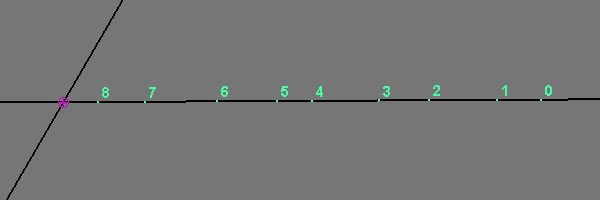
When we create particles, tune their behavior with a lot of test simulations and, at last, set an initial state, the range of particleId values usually starts with zero and ends with the order number of the last particle emitted. That’s pretty obvious and clear.
In: FX · Tagged with: initial state, maya, nextId, particle attribute, particleId, particles, script
Rendering Motion Vectors with mentalRay in Maya
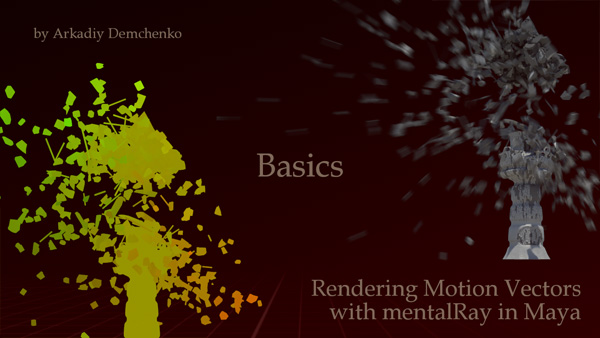
I’ve made a videotutorial not long ago on rendering motion vectors with mentalRay in Maya by request of RE:Vision Effects. Today I’m making it public on vimeo.
In: Render · Tagged with: lm2DMV, maya, mentalray, motion blur, motion vectors, pass, perfomance, shading
Gallery – Black Lightning
Added several results of my work for feature film “Black Lightning” to the gallery.
Framebuffer setup for passes output in general and mia_material_x in particular
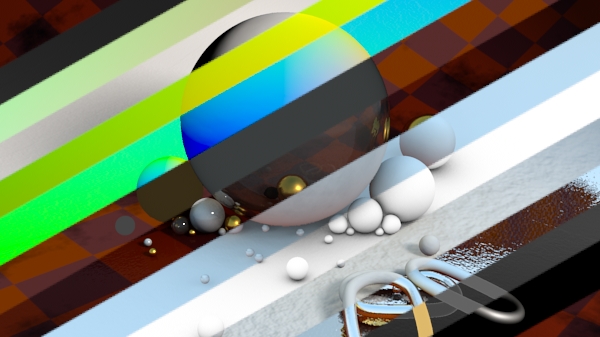
In this article I want to describe manual method for outputting passes with mentalray. Starting from version 2009 maya has a nice new passes system right in the renderSettings. Now Maya 2010 is already available… So why bother?
The answer is very simple – up to now this seemingly nice system works adequately in presentations and tutorials only, but problems become obvious even in medium-level tasks. Very often I use awesome mia_material_x shader, that can handle most of the materials needed, but even in special _x_passes version (which is a bit slower, by the way) it’s not fully and properly supported by this new system. The shader itself has all outputs we need that could be plugged into custom buffers and written out as separate passes, but this is where the main problem of this system resides – simple addition of a custom buffer, even empty one, slows rendering down… sometimes very considerably (the scene I use as an example in this article slows down from 7 min to 57 min).
So, this article is about an older method for outputting passes, that solves the problem of mia_material_x compatibility as well as rendering speed issue.
In: Render · Tagged with: ART_passes, ctrl_buffers, expression, framebuffer, maya, mentalray, mentalrayOutputPass, mentalrayUserBuffer, mia_material_x, miDefaultOptions, openEXR, pass, perfomance, script, shading, simplePasses
Lightmaps & Converting image to another uv space
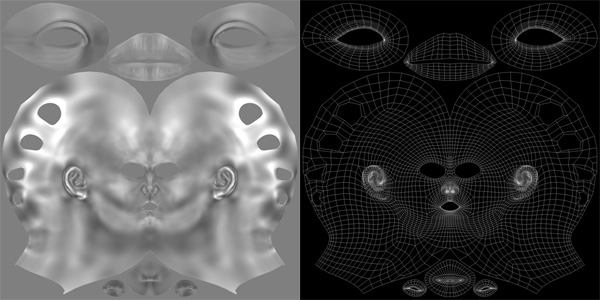
This post is about methods to convert an image (texture, displacement map etc.) made for specific uv-mapping, into corresponding image for another uv-mapping of the same object.
Let’s say, you need to convert a displacement map generated for AUV/GUV mapping of zBrush into more “reasonable” one (loading it into zBrush and regenerating displacement doesn’t work… don’t ask, I had this situation in a midpoint of production ;)) to mix it with displacement for another uvSet (mentalray has problems with multi-uvSet displacement). Or the mapping of the object has changed, and you want to update already painted textures as well. Or something else – you name it 🙂
In: Render · Tagged with: bake, lightmap, mapping, maya, mentalray, mib_lightmap_write, mib_texture_lookup, mib_texture_remap, mib_texture_vector, perfomance, shading, surfaceShader, texture, uv, uvset