
Тайлинг процедурных текстур и Placement mapping
Небольшой трюк, вполне простой, но возможно не совсем очевидный. Для создания шероховатостей, детальной фактуры и прочей высокочастотности обычно используется какой-нить fractal или noise с большим числом repeat, что приводит к явному тайлингу:
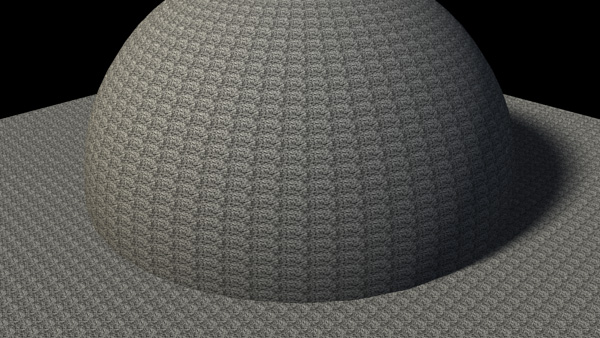
Fractal with high repeat value reveals tiling
Можно попытаться разбавить другими нойзами, но есть решение куда лучше…
Атрибуты в place2dTexture можно замаппить, т.е. сместить плейсмент уже затайленного нойза другим нойзом. В данном случае я использовал два фрактала с влюченным animated и разными значениями time для U и V каналов translateFrame:
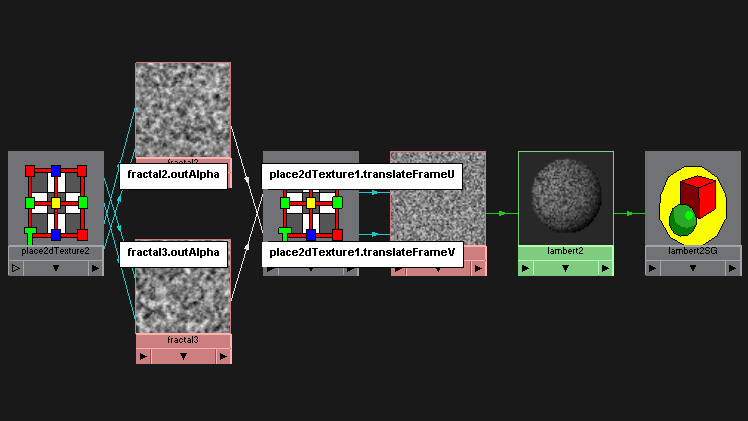
Two different fractals drive translateFrame for another fractal
В результате этого, тайлинг исчезает:
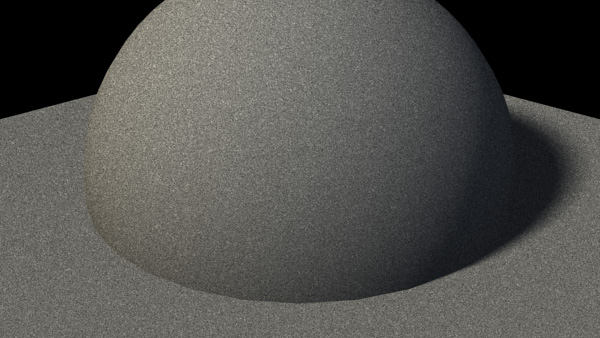
Visible tiling is eleminated by translateFrame mapping
Repeat этих двух фракталов лучше оставить в значении 1 1, а основной можно модифицировать как угодно, вот, к примеру, repeat 1 1 и на нем:
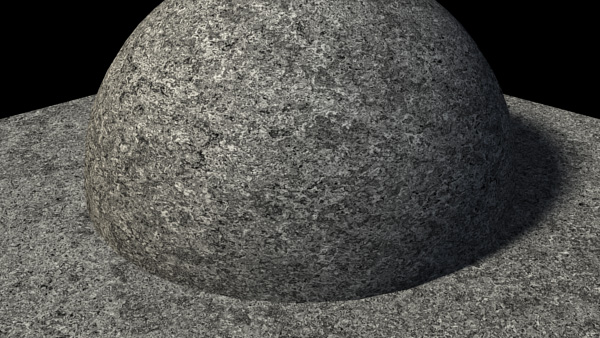
Fractal with one repeat still broken by two other fractals
Сцена примера: 08_proctiling_01.rar
Более того, маппингом плейсмента можно делать ремаппинг текстур, переназначая uvCoord значения (красный традиционно координата по U, а зеленый по V):
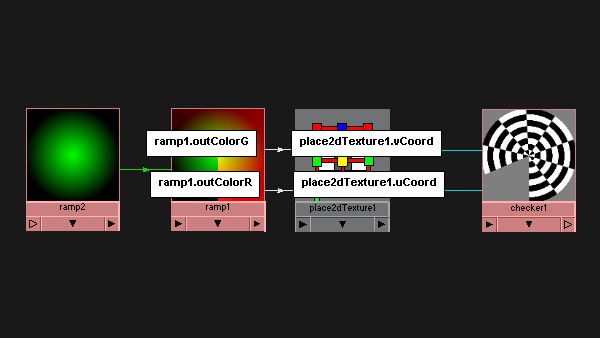
Circular checker via radial ramp
Сцена примера: 08_proctiling_02.rar
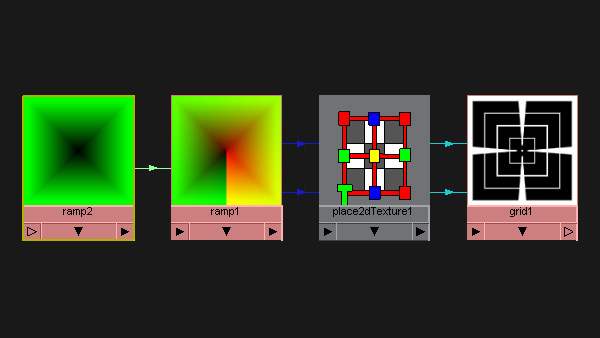
Messed up grid
ну и массу забавных и странных паттернов 🙂
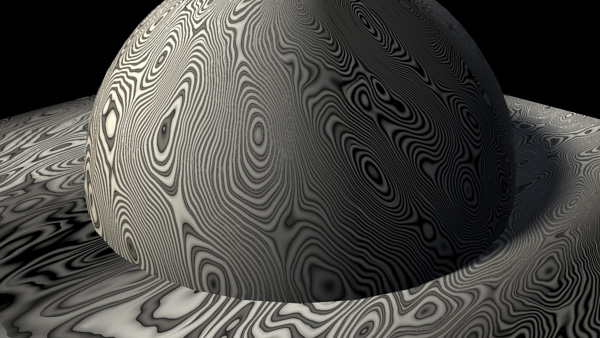
Cloth remapped with water
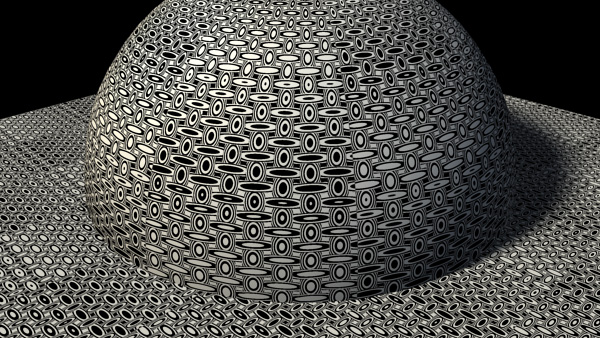
Checker remapped with cloth
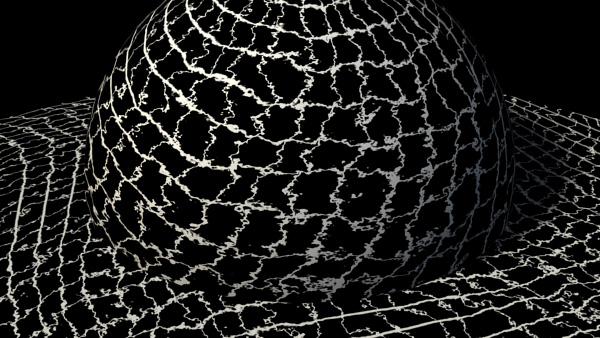
Grid remapped with fractal and circular ramp
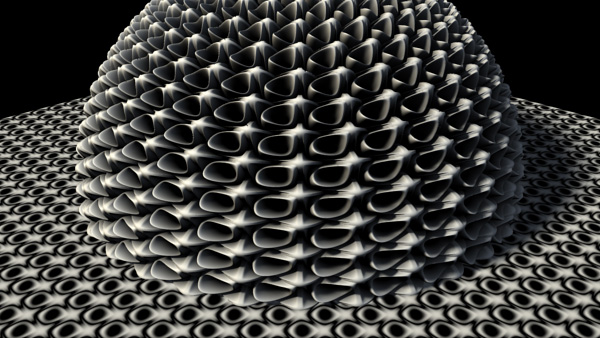
Bulge remapped with bulge
In: Render · Tagged with: fractal, maya, noise, pattern, place2dTexture, placement, procedural, remap, texture, tiling
on 5 July 2009 at 13:37
Permalink
респектыбл )
on 8 July 2009 at 3:08
Permalink
This is a very cool tip. However, I wonder you connected the “time” or “outalpha” of 2 fractures to “translateUV”? Cause when I try with the “time”, I still see the tile but when I try the “outalpha” the tile disappear and got the same result like yours. But, when I change the “repeat” UV back to 1:1 (the main fracture). I don’t have the same result like yours.
I wonder if you don’t mind upload your scene so I can compare. Because so far, I don’t see I didn’t anything wrong with the connection.
Thank you.
on 8 July 2009 at 3:29
Permalink
It’s outAlpha, of course. It’s shown on the second picture here. I modify ‘time’ just to make those two fractals different from one another or you’ll get diagonal patterns.
No problems, here’s the scene:
08_proctiling_01.rar
on 7 February 2010 at 18:21
Permalink
Could you explain how you get the circular checker? I can’t figure it out. When I try I get something similar but it’s not like yours. It seems you are blending something in the ramp. If you could post the scene would be cool. By the way this is a really cool trick with the remapping.
Cheers Nico
on 7 February 2010 at 20:09
Permalink
Sure, here’s the scene with circular checker:
08_proctiling_02.rar
on 7 February 2010 at 23:09
Permalink
Aah the color offset. Ok thanks man.
on 16 April 2011 at 0:56
Permalink
Sagroth, опиши пожалуйста подробней как делался Bulge remapped with bulge, что куда соединять.
on 16 April 2011 at 1:54
Permalink
Боюсь я сейчас уже не вспомню… А сцены не осталось 🙂
on 8 July 2011 at 0:16
Permalink
hey mate, bulge remapped with bulge is amazing! how did you do that?
on 8 July 2011 at 4:54
Permalink
I fear I’ve lost this scene 🙁 Besides that, it’s just a displacement 🙂
on 29 March 2012 at 6:01
Permalink
Very interesting. Thanks.
on 29 November 2013 at 21:37
Permalink
Thanks man!! great example! useful a lot :D!!